What is the TODAY Function in Excel?
The TODAY Function in Excel is a built-in feature that returns the calendar date on the present date.

The TODAY Function in Excel is a built-in feature that returns the calendar date on the present date.
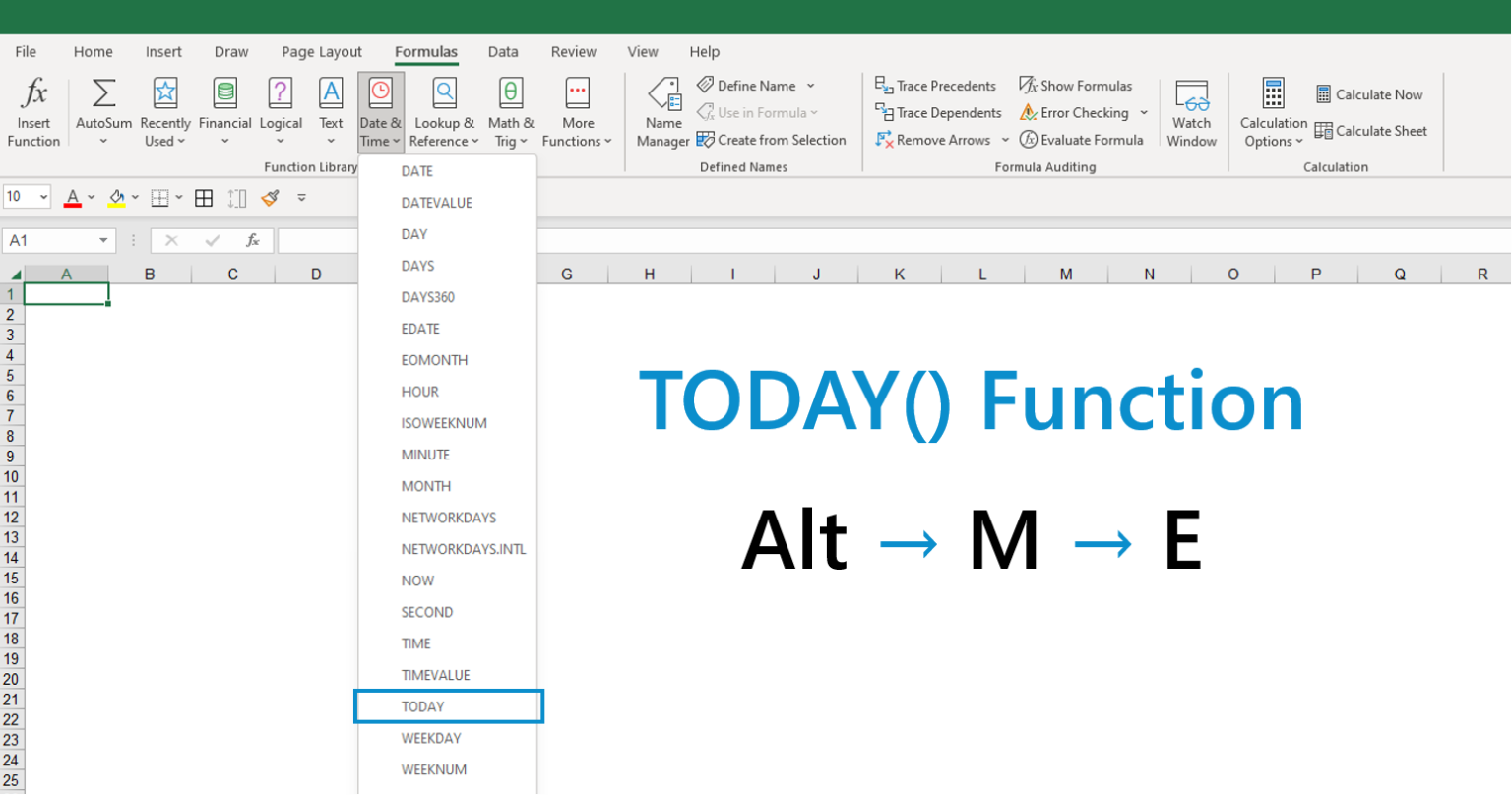
The Excel TODAY() function can be entered into a cell to return the current date. The output of the TODAY function date—the present date—is continuously updated to the date on which the file was most recently opened.
Since the function is automated in that sense, one scenario where the function is often utilized is for printing spreadsheets or exporting the file into PDF format for distribution.
The following are some of the more common use cases of the TODAY() function.
The “TODAY” function is located in the drop-down list from the “Date & Time” section within the “Formulas” tab.
The following keys can also be pressed to open the function.
The syntax for the Excel TODAY() function is as follows.
As evident by the formula above, the function requires no arguments.
But before using the function, ensure the cell(s) are all properly formatted as dates, otherwise the returned value will be a numerical string.
If you need to keep the date static, as opposed to the date automatically updating, copy the cell with today’s date and use the paste special function to paste only the value.
While the TODAY function is rather straightforward, the following table contains some variations where the function can be used:
| Formula | Description |
|---|---|
| =TODAY()+10 |
|
| =TODAY()-10 |
|
| =DATEVALUE(“mm/dd/yyyy”)-TODAY() |
|
| =DAY(TODAY()) |
|
| =MONTH(TODAY()) |
|
| =YEAR(TODAY()) |
|
| =EDATE(TODAY(),10) |
|
| =EOMONTH(TODAY(),0) |
|
We’ll now move on to a modeling exercise, which you can access by filling out the form below.


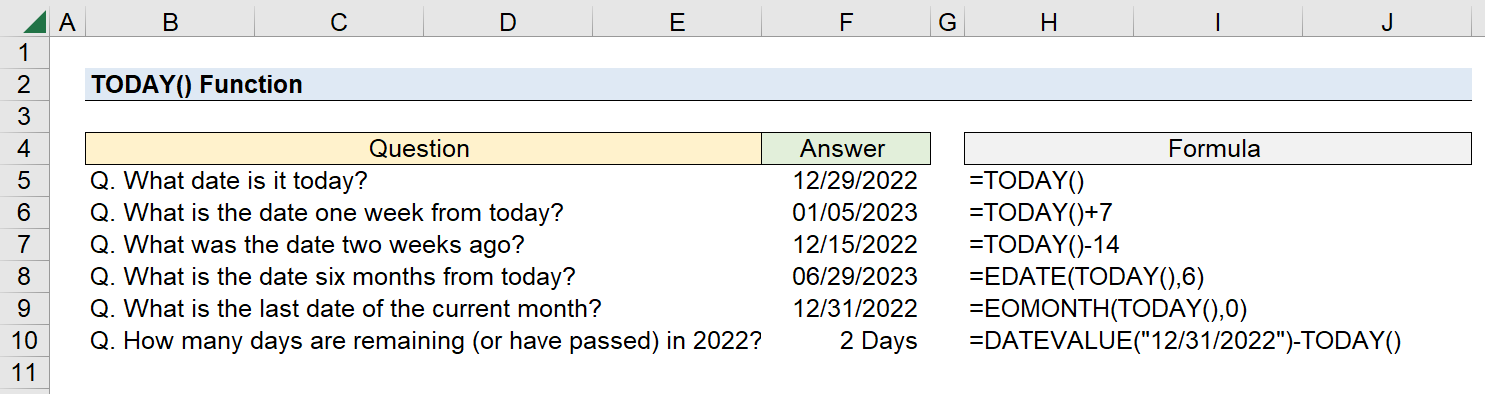
Suppose we’re tasked with answering the following set of questions.
To start, we’ll enter “TODAY()” into a cell to determine the current date, which comes out as 12/29/2022.
Because the dates automatically update, the answers displayed on the file will change each passing day.
The following formulas will be used to answer the above questions:
Using the TODAY() function, we arrive at the following answers (based upon an assumed current date of 12/29/2022):



No comments yet.